Decorations
Decorations are functions returning content. Without at, they are inserted inline. With at: (x: .., y: ..), they are placed at that position relative to the current container (usually the text area of the page), without affecting the layout.
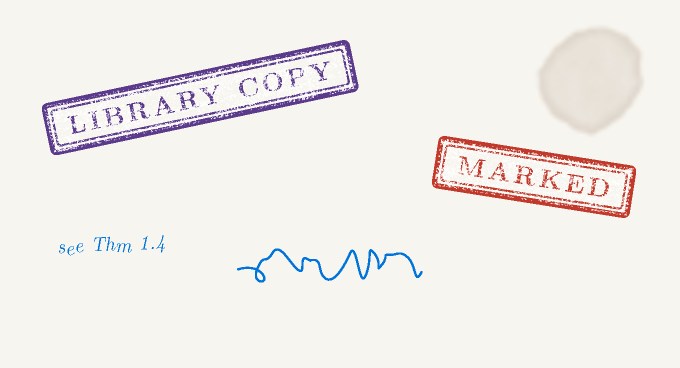
stamp
#lookscanned.stamp("Library copy", color: rgb("#5b3a8c"))
#lookscanned.stamp("Marked", angle: 9deg, at: (x: 70%, y: 80%))
Bold capitals in a double frame, rotated by angle, with patchy ink. size sets the text size; seed selects the ink pattern. at is the top-left corner.
scribble
With a body, writes it in a wobbly italic, each character slightly moved and rotated:
Without a body, draws a scrawl of the given width, usable as a signature, an initial or a crossing-out:
For a more convincing result, wrap it in a handwriting font: #text(font: "Caveat", lookscanned.scribble(body: "QED?")).
stain
A single blotch, ring or splatter (chosen from seed) of diameter size. Unlike the other decorations, at is the centre of the stain.
To scatter stains over every page, use the stains theme.
Placement
at is resolved like place(top + left, dx: x, dy: y): percentages refer to the container, so a decoration called inside a block or a grid cell is positioned relative to that cell. Inside a scan document, the text of stamps and notes also receives the ink effects.