Presets
A preset is a dictionary of themes describing a complete look. scan, page and region accept a preset name or a dictionary (see Custom presets). Without preset, scan uses "office-scan".
Gallery
Same excerpt, seed: 3.
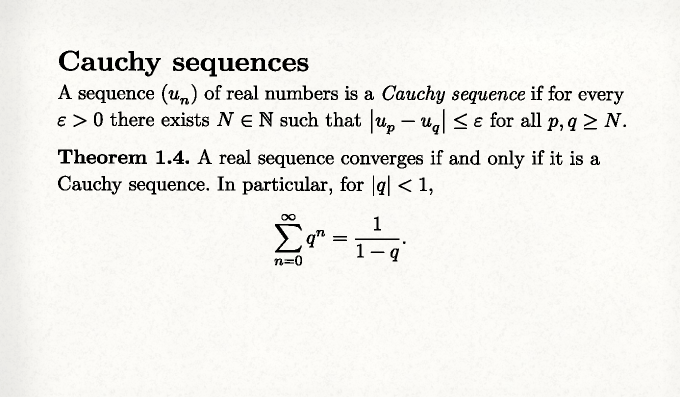
clean-scan: off-white paper, little grain, minimal rotation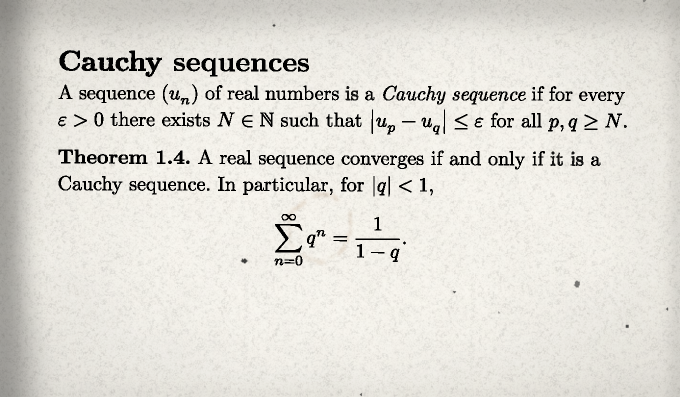
office-scan: moderate grain, edge shadow, slight drift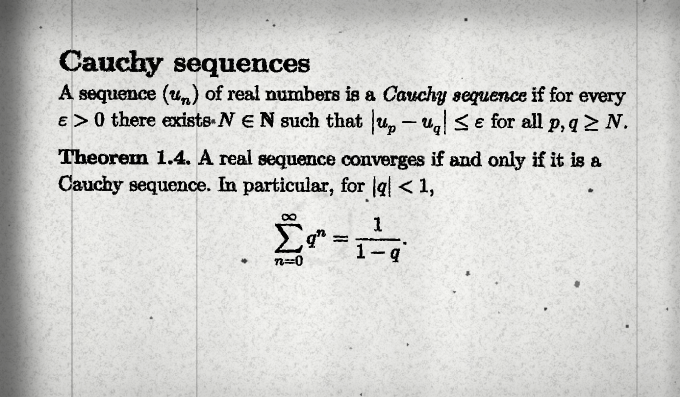
photocopy: heavy bleed, drum bands, dust, scratches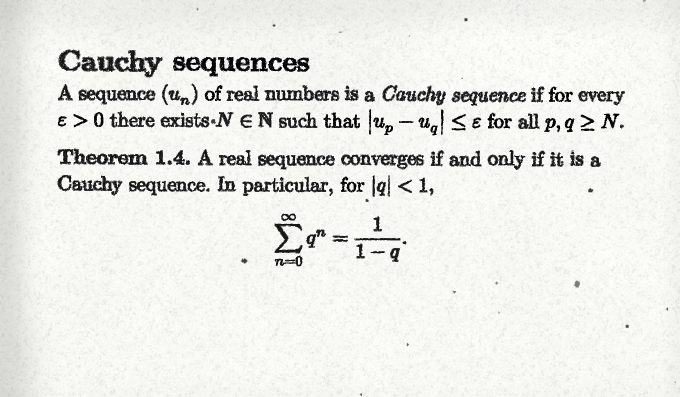
fax: transmission lines, per-word jitter, low legibility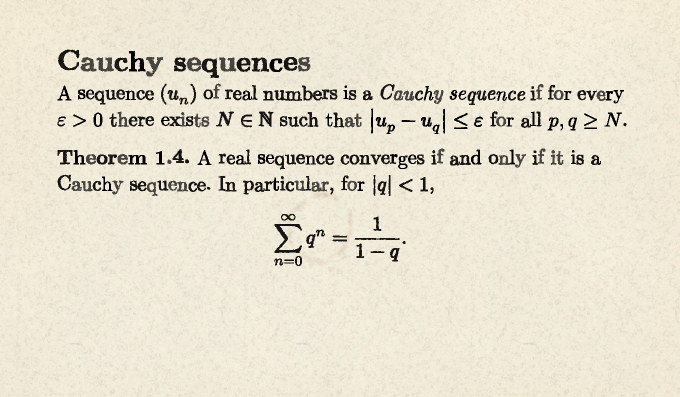
typewriter: per-character jitter, uneven inking, worn ribbon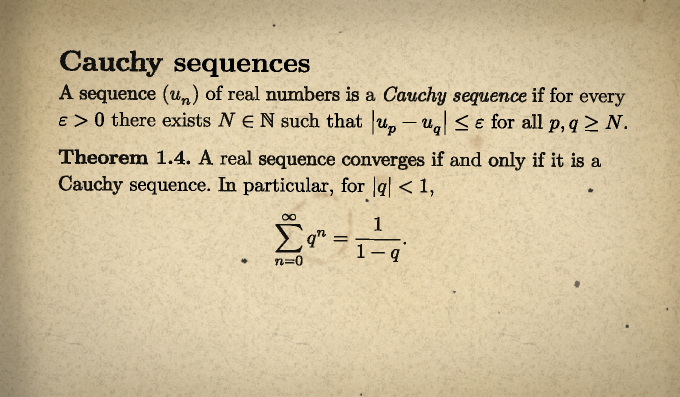
old-paper: yellowing, foxing, stains, vignette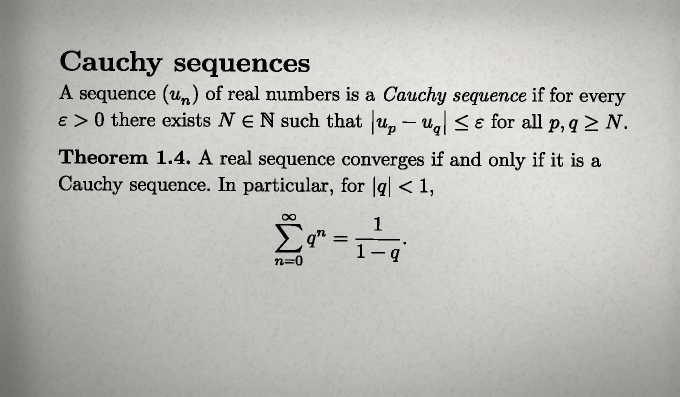
phone-scan: strong rotation, uneven lightingSelection
| Document | Preset |
|---|---|
| Archived copy, barely noticeable | clean-scan |
| Departmental scan of lecture notes | office-scan |
| Problem sheet copied many times | photocopy |
| Document received by fax | fax |
| Typed manuscript or thesis draft | typewriter |
| Textbook or journal from a library shelf | old-paper |
| Page photographed with a phone | phone-scan |
Typewriter
The typewriter preset changes ink and character placement, not the font. Combine it with a monospaced face, for example #set text(font: "Courier Prime").
Intensity
intensity scales a preset without editing it:
#show: lookscanned.scan.with(preset: "fax", intensity: 0.5)        // half as degraded
#show: lookscanned.scan.with(preset: "clean-scan", intensity: 2)   // twice as strong
Amounts, angles and lengths are multiplied; legibility is degraded proportionally; colours, sizes, switches and quality settings are left unchanged. The exact rule is given in Themes › Intensity.
Seed
Every random choice derives from seed (an integer, default 0), the page number and stable properties of the content. Changing the seed changes the arrangement; keeping it reproduces the document exactly.
See also
- Presets reference: exact values.
- Custom presets.